Nike Air Zoom Hyperslide
Step in. Walk it off.
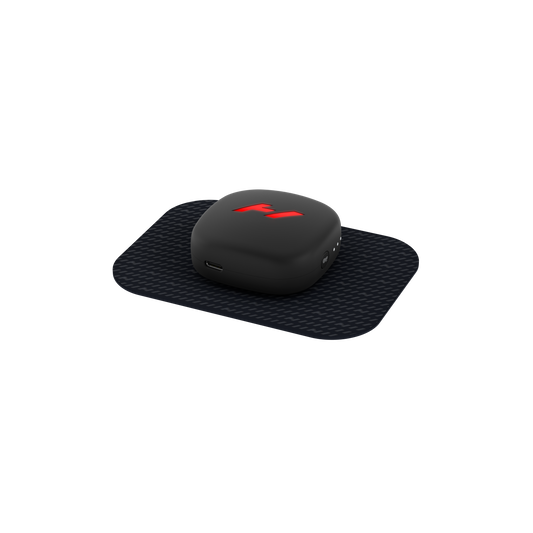
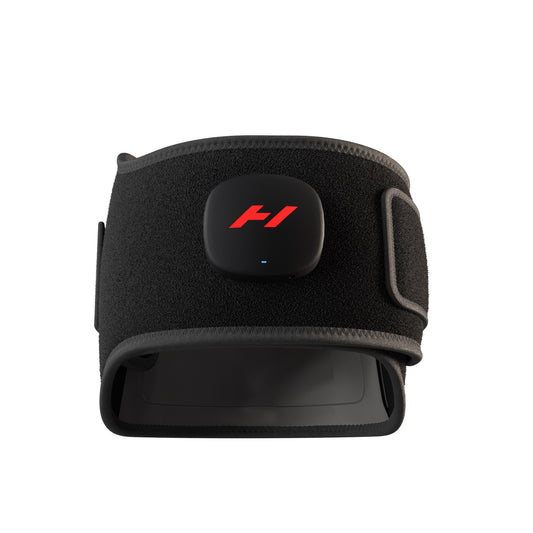
The Nike Air Zoom Hyperslide combines Nike Air Zoom comfort with Hyperice heat and vibration technology to help your feet relax, reset, and recover from the ground up.
Recovery from the ground up
Designed to bring recovery directly to your feet, the Nike Air Zoom Hyperslide combines the comfort of Nike Air Zoom with integrated Hyperice technology. Heat and vibration work together to create an easy, wearable recovery experience.
Heat and vibration, your way
Adjust the heat and vibration levels directly from the Hyperslide Pods to personalize each session. The controls allow heat and vibration to be adjusted independently, with indicator lights showing the selected level.
App-connected recovery
Pair the Hyperslide with the Hyperice App to get more from each session. The app allows you to remotely control heat and vibration as well as automatically start and stop sessions.
Recharge. Reset. Repeat.
The rechargeable Hyperslide Pods provide up to 1 hour of battery life, depending on settings, with a full charge taking approximately 3 hours using the included Hyperice USB-C charging cable.
Features
- Combines Nike Air Zoom comfort with Hyperice heat and vibration technology
- Adjustable heat levels
- Adjustable vibration levels
- Independent heat and vibration controls
- White LED indicators display selected heat and vibration levels
- Removable Hyperslide Pods
- Magnetic Pod connection
- Hyperice App connectivity
- Remote heat and vibration control through the Hyperice App
- Automatic session start and stop through the Hyperice App
- Rechargeable battery
- Up to 1 hour battery life, depending on settings
- Approximately 3-hour charge time
- USB-C charging
What's Included
Nike Air Zoom Hyperslide
Hyperslide Pods
Hyperice USB-C charging cable
Getting Started
1. Charge the Hyperslide Pods
Charge the Pods using the provided Hyperice USB-C cable until fully charged. A full charge takes approximately 3 hours. HI26_Sales_Hyperslide_HowToGuid…
2. Open the top strap
Open the strap on each Hyperslide.
3. Connect the Pods
Attach each Pod to its slide using the magnetic connection. Heat and vibration will not be felt until the Pods are connected.
4. Secure the strap
Attach the top strap over the Hyperslide Pods.
5. Power on
Press the power button for 0.5 seconds.
6. Select your heat level
Press the heat-level button on the right side once per level. White indicator lights show the selected temperature.
7. Select your vibration level
Press the vibration-level button on the left side once per level. White indicator lights show the selected vibration level.
Couldn't load pickup availability